
https://youtu.be/X_iuohvo-9Yhttps://youtu.be/rllh-_91UIw Production Scanner Mode There is a video above that will illustrate this process as well. After launching the application on your device, scan your
https://youtu.be/nEt7YUvfeRQ After launching the application on your device, scan your user bar code to log into the system. Then select the Warehouse menu item from
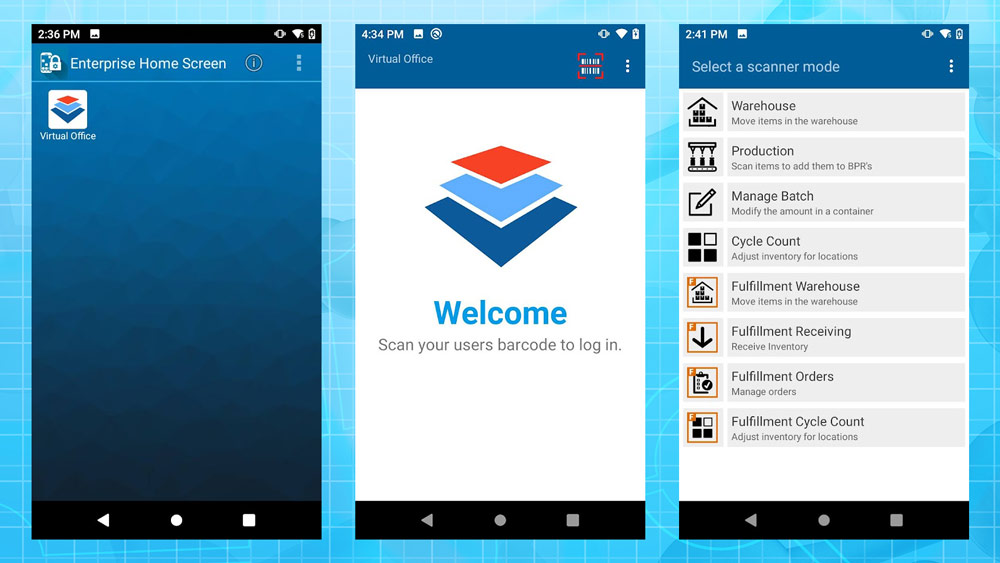
This section will contain information specific to processes and applications used with the Android scanner for core Virtual Ops (VO) functions. This page will focus
https://youtu.be/c_SJEkwG5K4 Select the View Maintenance Scheduled option from the main screen after logging in. Begin by choosing to scan equipment or viewing the Maintenance List.
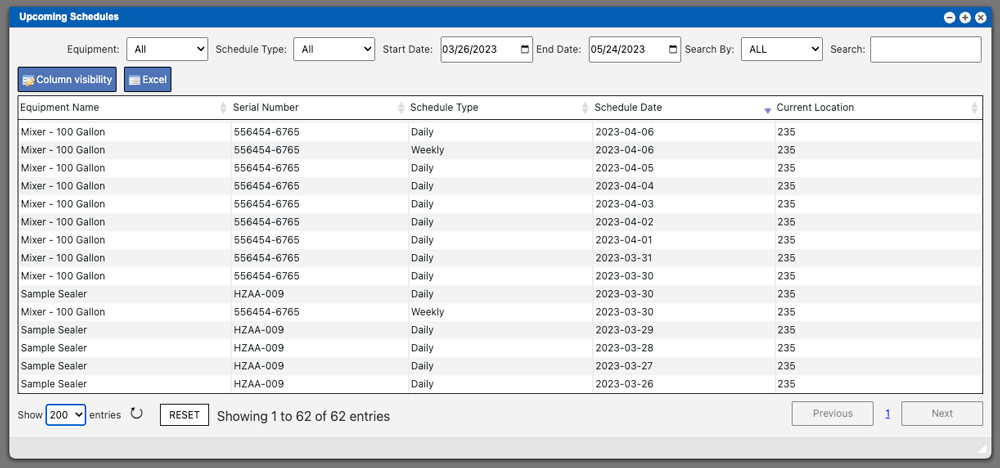
The Upcoming Schedules window will display a grid that lists all upcoming schedules. These entries can be sorted by clicking the column titles, using the