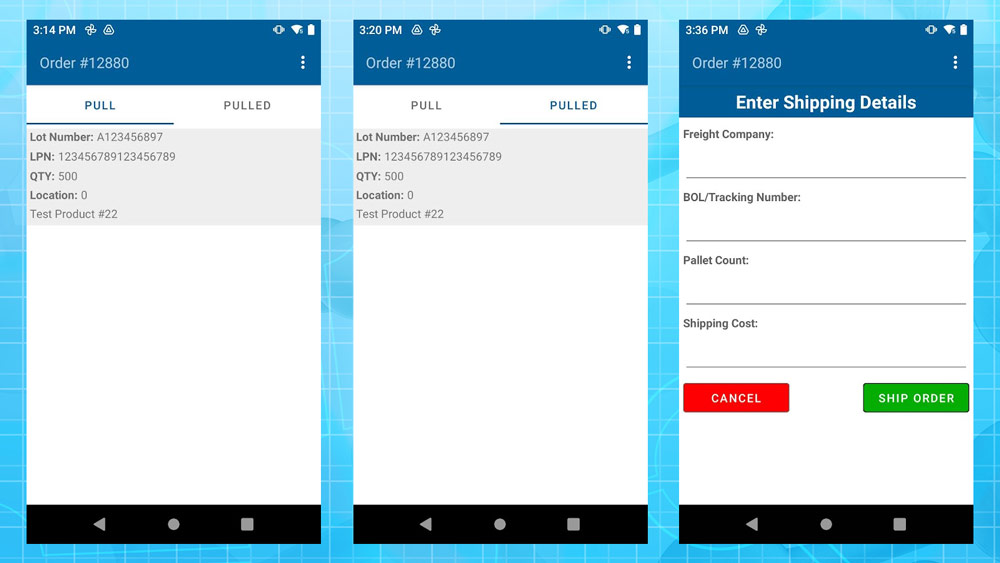
Fulfillment Orders
Fulfillment Orders on the scanner will allow you to Pull an order for shipment as well as complete the shipment for an order that is

Fulfillment Orders on the scanner will allow you to Pull an order for shipment as well as complete the shipment for an order that is
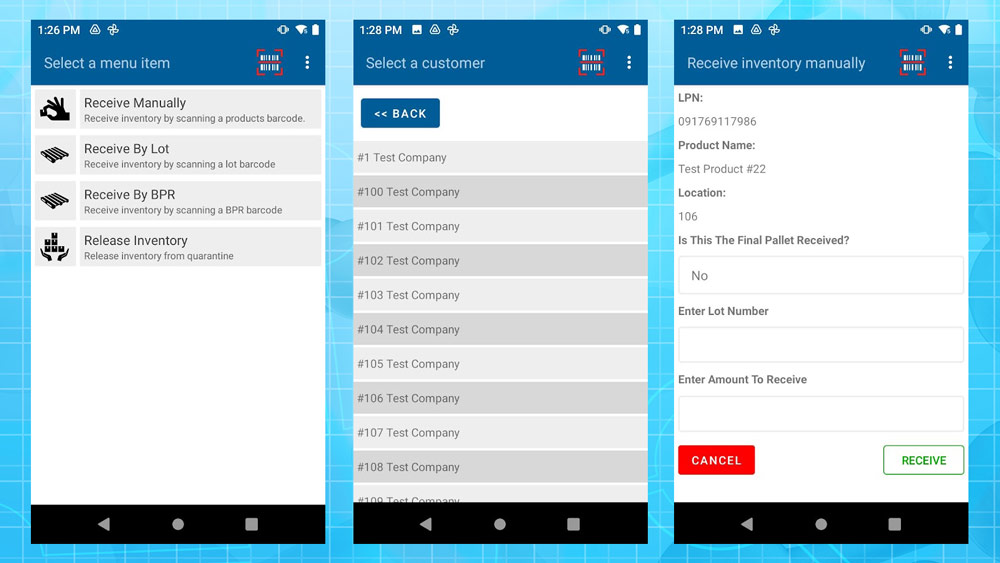
The Fulfillment Receiving Scanner Mode is where you can, in multiple ways, receive pallets into the system. There are currently four ways for you to
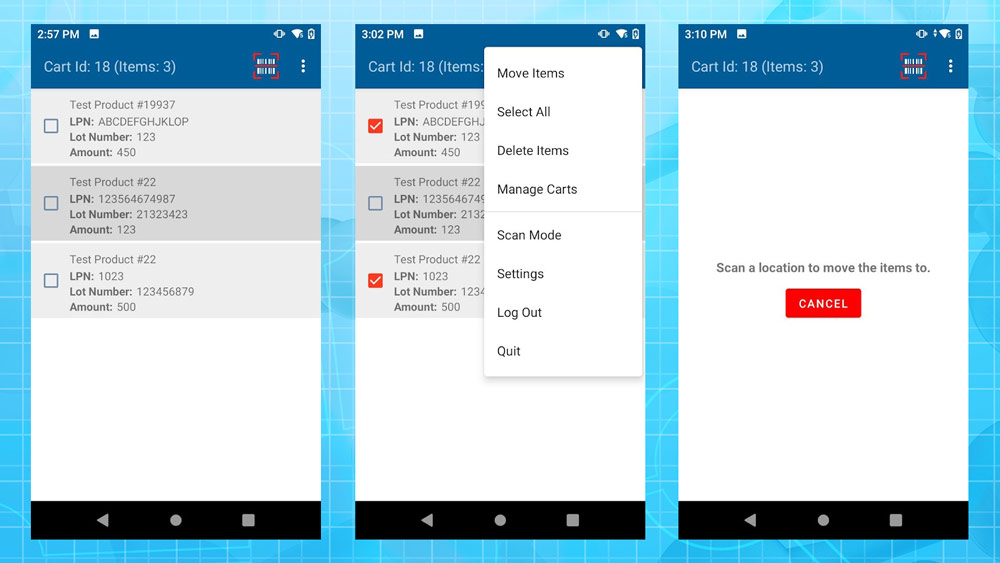
The Fulfillment Warehouse Scanner Mode is where you can move fulfillment pallets around the warehouse. The process starts by scanning some pallets that you are
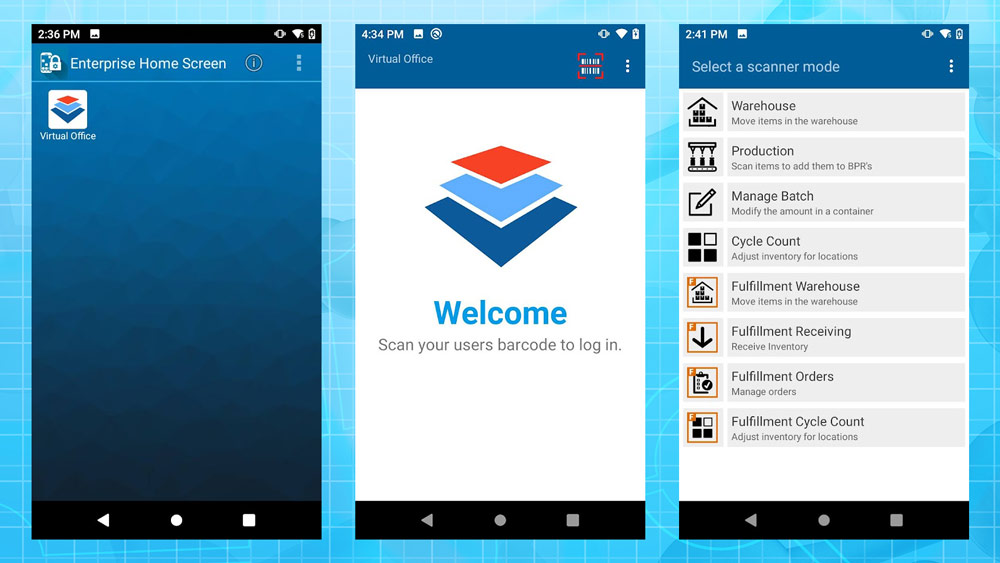
This section will contain information specific to processes and applications used with the Android scanner for Fulfillment purposes. This page will focus on some of
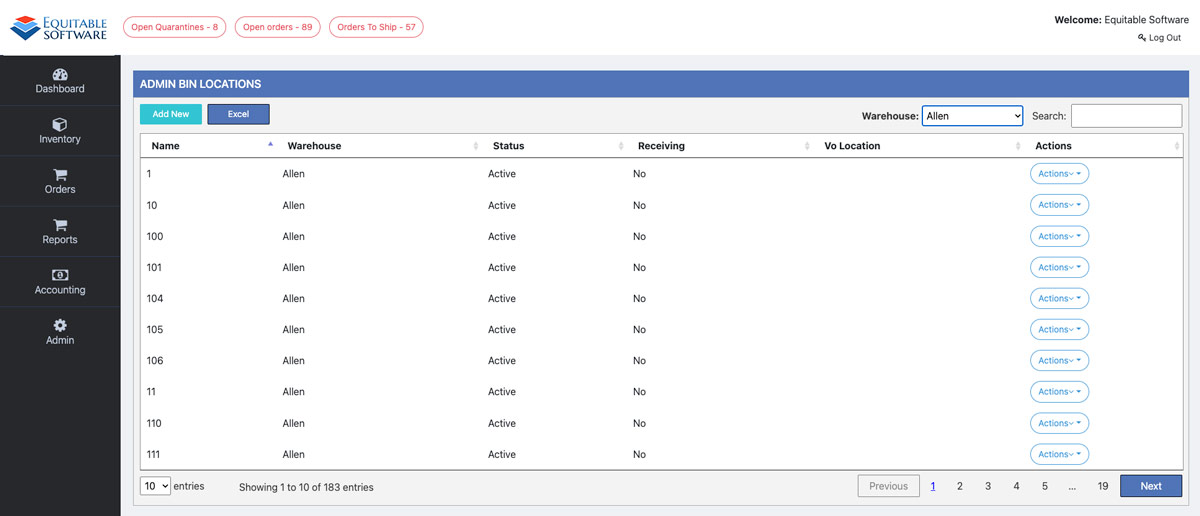
The Admin Bin Locations page contains a grid that displays all bin locations. To begin this process select a Warehouse from the Warehouse dropdown located
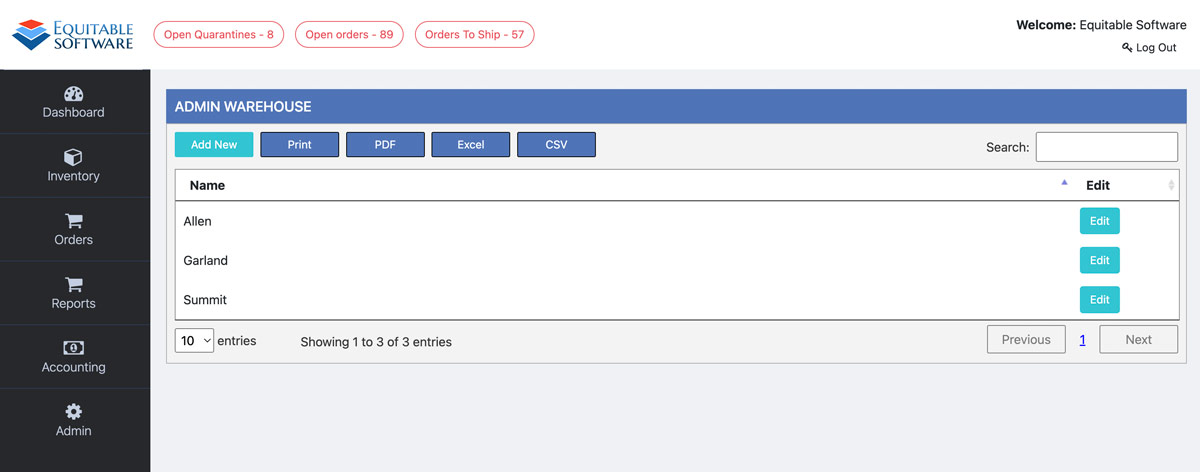
The Admin Warehouse page contains a grid that will display all warehouses created in the system. Search and sort the grid to locate and edit
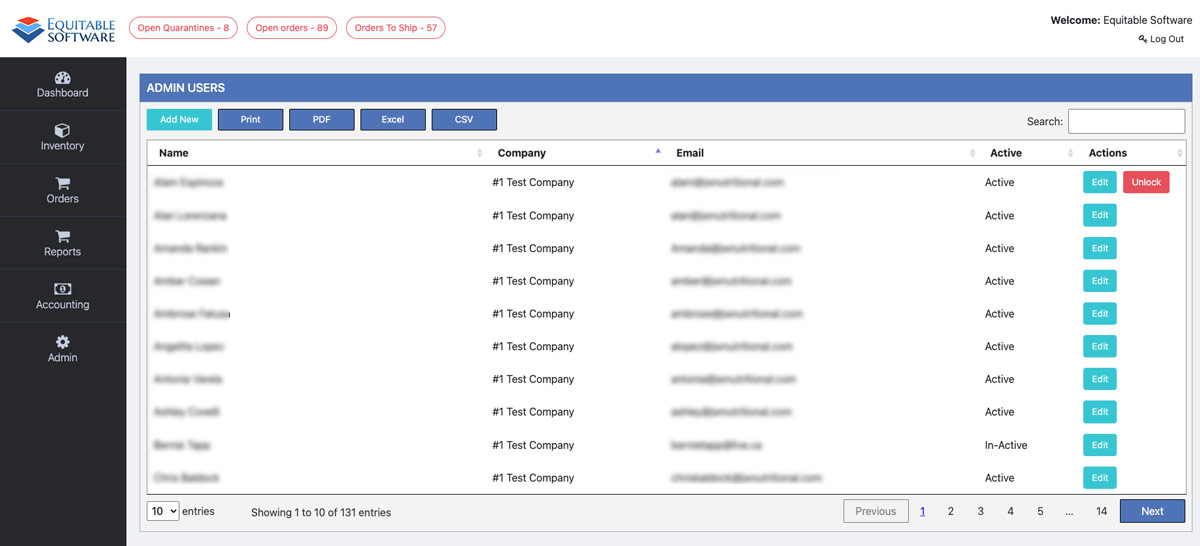
The Admin Users page contains a grid that will display all users. Search and sort the grid to locate and edit an existing user. If
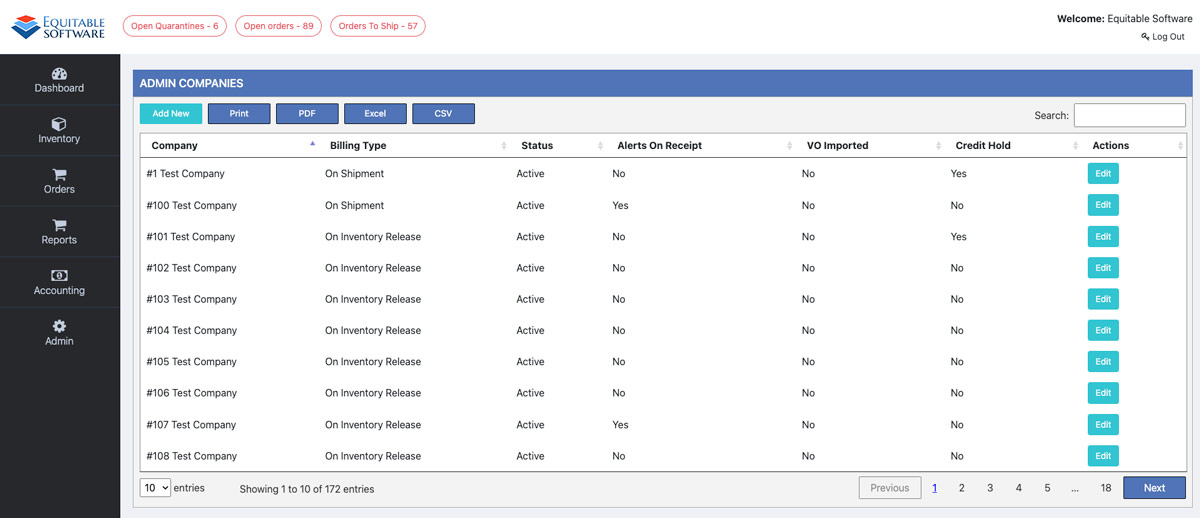
The Admin Companies page contains a grid that will display all companies. Search and sort the grid to locate and edit an existing company. If
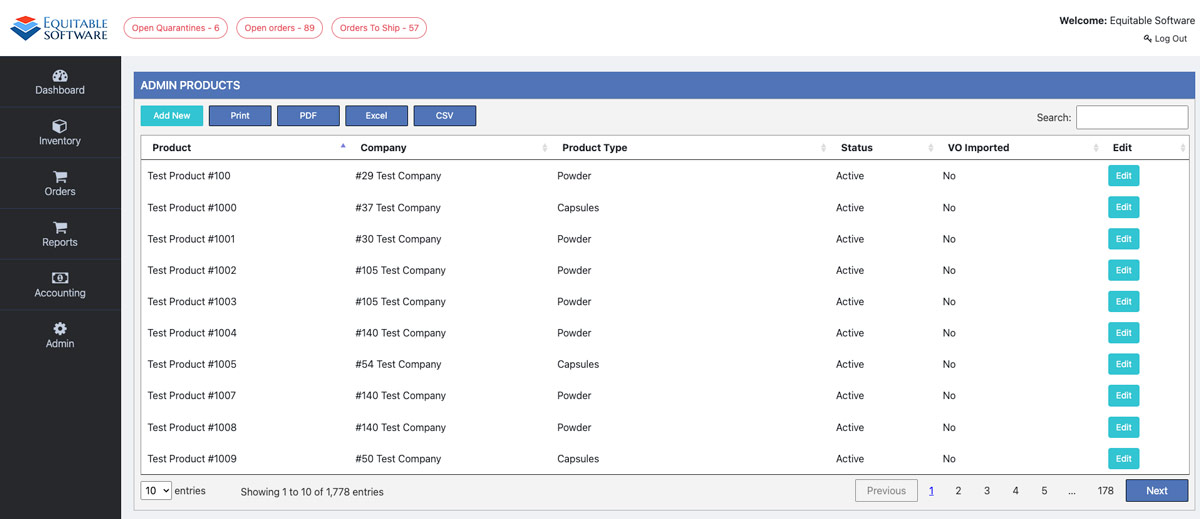
The Admin products page contains a grid that displays all products. Search and sort the grid to find your product. If you are not aware